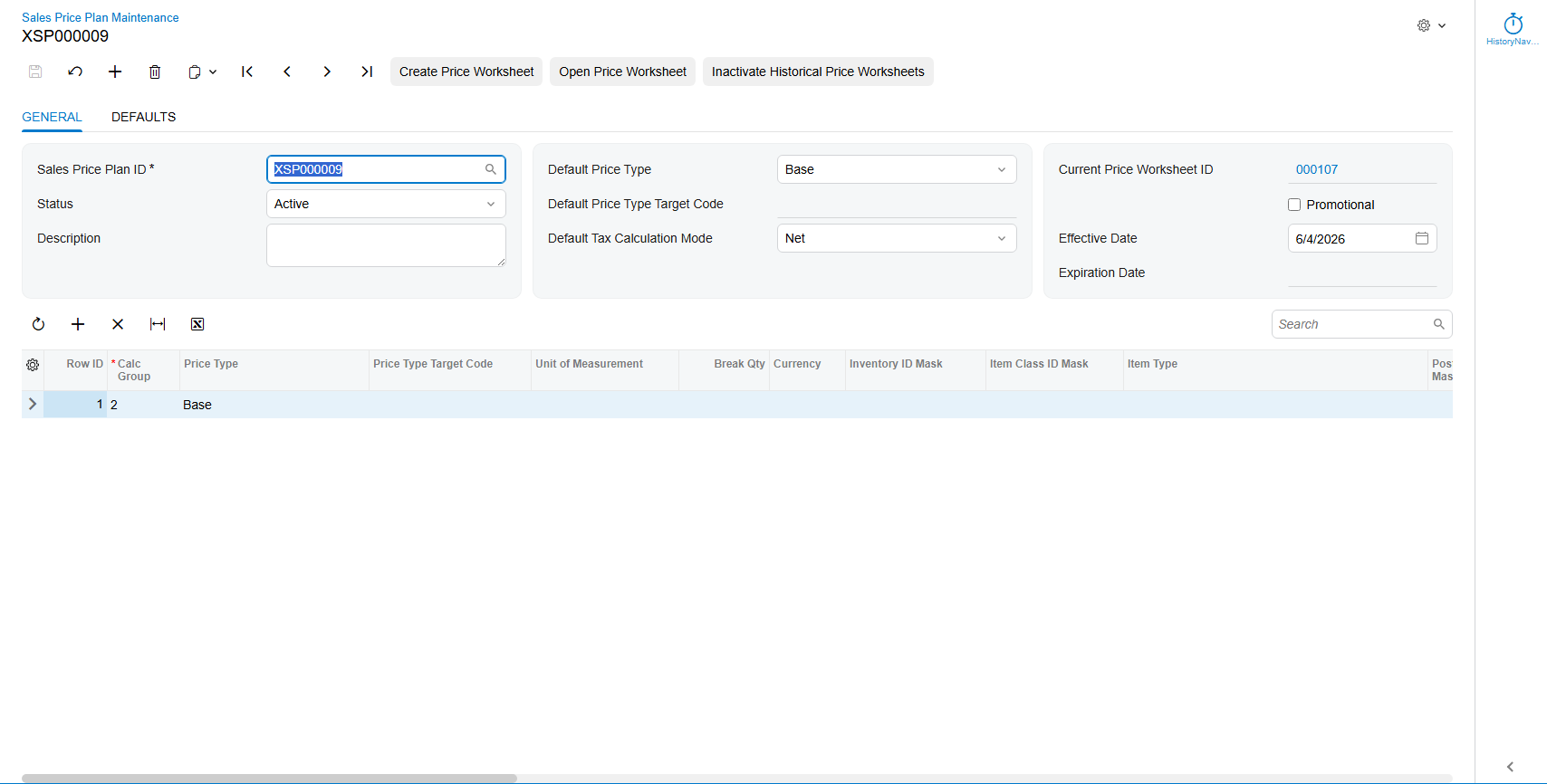
Currently, Acumatica does not have a process that allows users to easily generate and maintain Price Sheets. The Sales Price Worksheet Manager add-on rectifies this by letting you build a reusable Sales Price Plan that can be regenerated as often as needed.
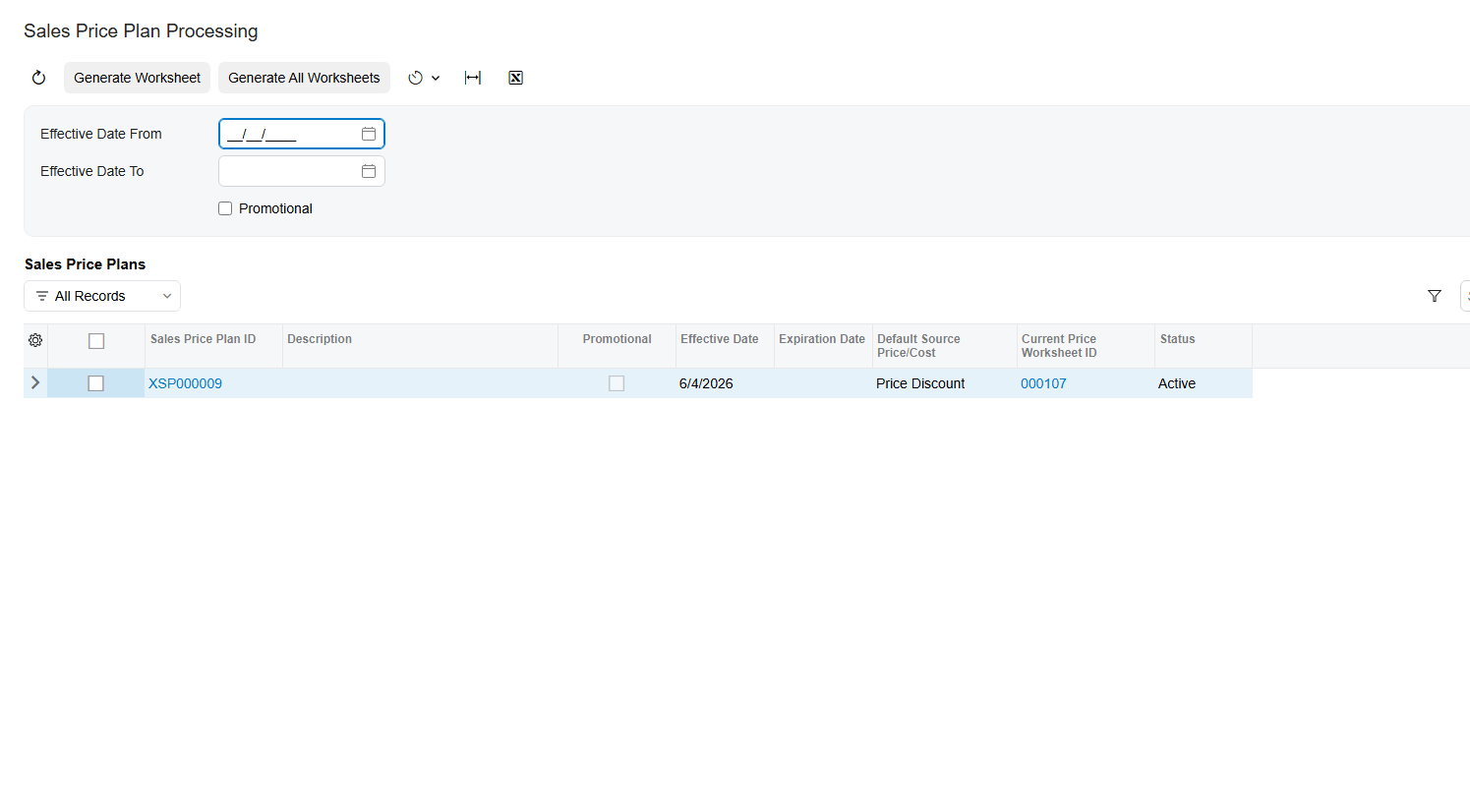
When processed, the Sales Price Plan generates a corresponding Sales Price Worksheet using the configuration you set up in the Sales Price Plan Maintenance screen. The final product is a Price Sheet that can be viewed in the standard Sales Price Worksheets screen.
Key Features
- Sales Price Plan Maintenance screen for configuring reusable pricing rules
- Auto-numbered or user-keyed Sales Price Plan IDs, integrated with Acumatica Numbering Sequences
- Support for Base, Customer, and Customer Price Class pricing targets
- Configurable tax calculation mode, tax category, and tax
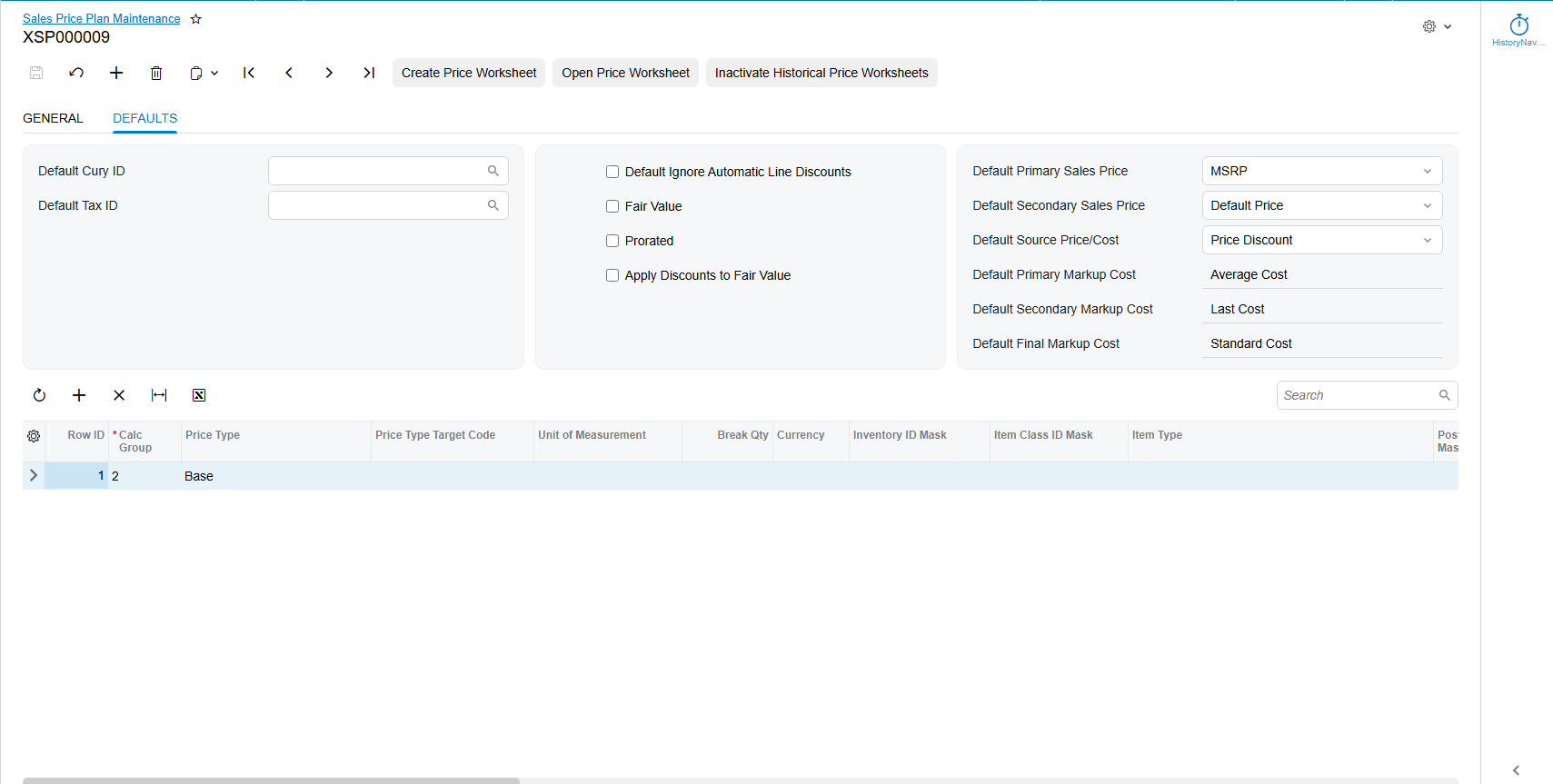
- Options for ignoring auto line discounts, fair value pricing, and proration
- Currency and decimal precision controls for calculated sales prices
- Primary, secondary, and final markup cost selection (Average, Last, Standard, Max, Min Cost)
- Primary and secondary sales price selection (MSRP and Default Price)
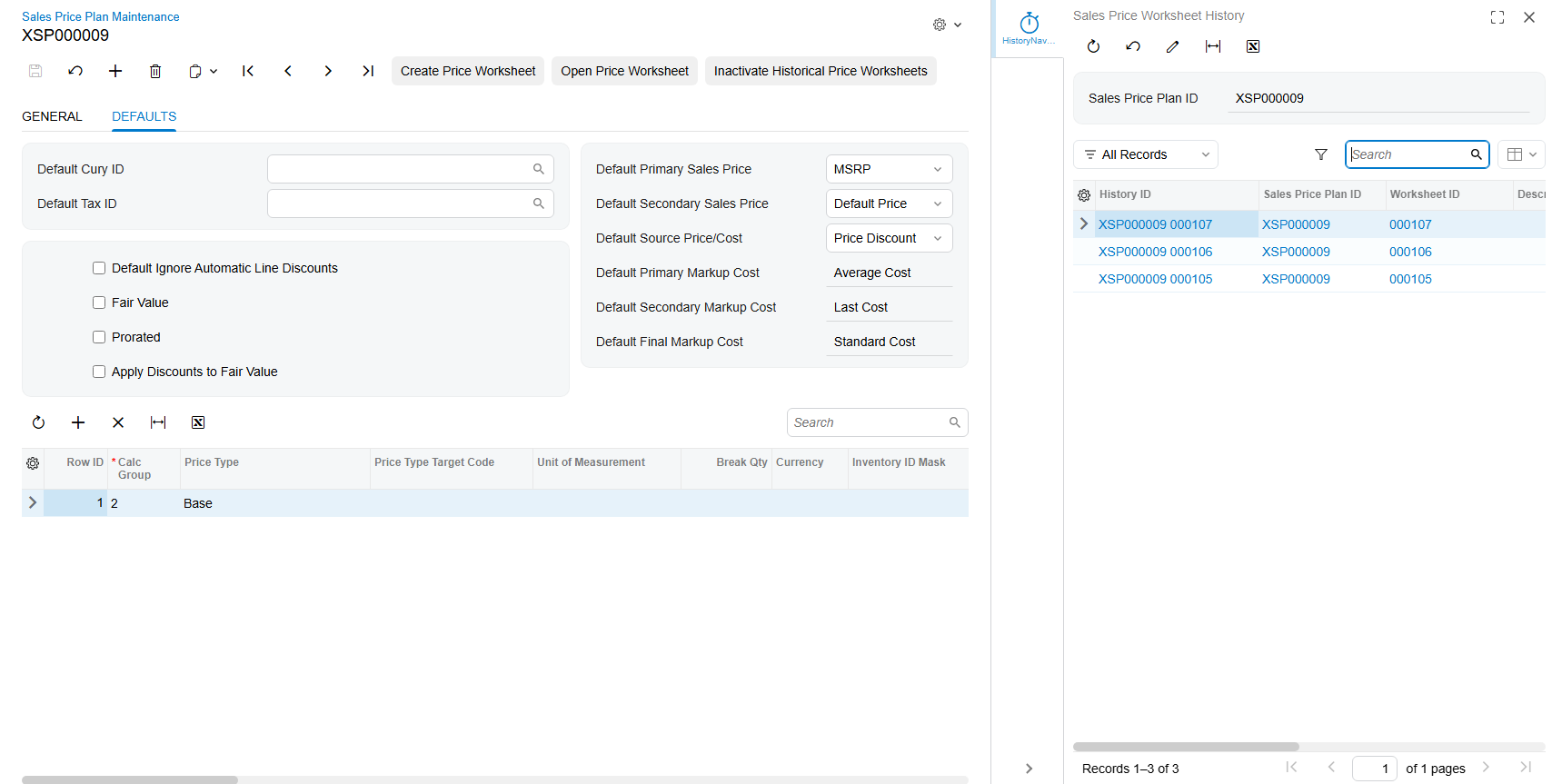
- Full Price Worksheet history tracking, with the ability to inactivate historical worksheets
- One-click generation and viewing of the current Price Worksheet
Detailed Calculation Grid
The Sales Price Plan includes a powerful detail grid that defines exactly how each Price Worksheet is built. Rows can be grouped into Calculation Groups, with And/Or conjunctions controlling how the criteria in each group combine, giving you precise control over the underlying selection logic.
Criteria can be based on Inventory ID, Item Class, Item Type, Posting Class, Valuation Method, Planning Method, Tax Category, Lot/Serial Class, Country of Origin, Warehouses, Item Price Class, Alternate ID, Units of Measure, Price Manager, Price Workgroup, Cost Code, and more - most of which support both direct lookups and wildcard masks.
For each row or Calculation Group, you can choose whether pricing is driven by a Price Discount or a Cost Markup, define break quantities, discount/markup percentages, and price or cost ranges, giving you the flexibility to model virtually any pricing strategy your business uses.
Accounts Receivable Preferences Integration
A new Sales Price Manager tab is added to the Accounts Receivable Preferences screen, allowing you to set the Sales Price Plan Numbering Sequence, the default Discount/Markup % decimal places, and the default Sales Price decimal places used across new plans.
Why It Matters
Instead of manually rebuilding price sheets whenever costs or pricing strategy change, your team can maintain a single set of pricing rules and regenerate accurate, up-to-date Price Worksheets in a fraction of the time - reducing errors and keeping your sales pricing consistent across Customers, Customer Price Classes, and your full Inventory.